


Smart TV Cast: Screen Share
4.4555.00 Reviews
App Specs
- Version
- 9.12
- Updated On
- License
- Free
- Downloads
- 10,000,000+
- Developer
- Technoline Apps
- Categories
- Tools
- Platform
- Android
Screenshots
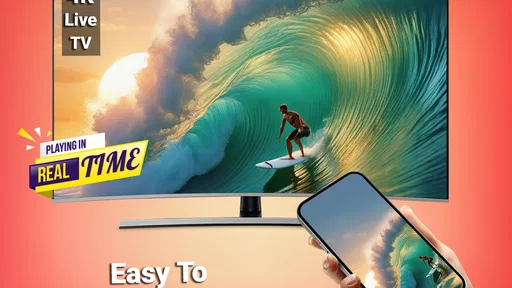
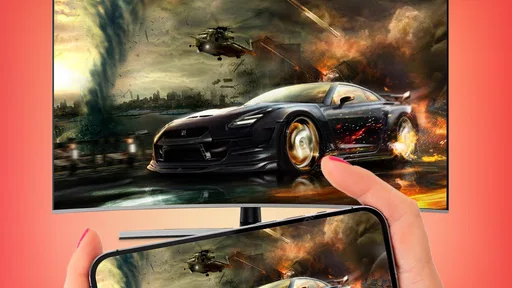
 Analysis by AppCompare
Ever found yourself wanting to share your phone's screen on a bigger display without the hassle of endless cables? I recently stumbled upon Smart TV Cast: Screen Share, and let me tell you, it’s like having a magic wand for your entertainment needs. This app promises to connect your smartphone to your TV effortlessly, and I was curious to see if it lived up to the hype. So, I downloaded it and gave it a spin.
Setting Up: A Breeze or a Storm?
First things first, getting started with Smart TV Cast: Screen Share was surprisingly straightforward. The app is available for both Android and iOS, so no worries about compatibility here. Once installed, it guides you through a step-by-step tutorial. It felt like having a tech-savvy friend on standby, and I appreciated that.
The app requires both your smartphone and TV to be on the same Wi-Fi network. This might sound like a no-brainer, but it's a crucial step. I had a minor hiccup when my phone decided to switch networks without notifying me. A quick switch back and I was golden. After selecting the TV from the list of devices, it was a mere tap to start mirroring my screen. It was almost too easy.
Features Galore
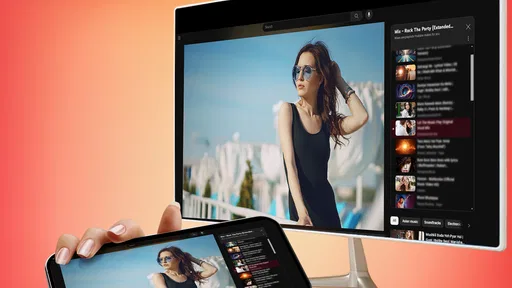
If you're looking for versatility, this app has you covered. Whether you want to stream videos, play games, or even display photos from your last vacation, it does it all. What caught my eye was the ability to stream not just local content but also web videos directly from your browser to the TV. Talk about a game-changer!
The app supports HD video quality, which is perfect if you’re a stickler for crisp visuals. Watching Netflix or YouTube on my TV was a smooth experience with no noticeable lag. It felt like an upgrade from the usual mirroring apps that sometimes leave you hanging with buffering issues.
Navigation and Interface
The interface is intuitive and user-friendly, which makes it accessible even for those who aren’t tech enthusiasts. The layout is clean, with all the functions neatly categorized. I didn’t have to dig through endless menus to find what I needed, and that’s always a win in my book.
One feature that stood out was the remote control functionality. Imagine controlling your TV directly from your phone, adjusting the volume, or switching channels without searching for the remote. It’s like a universal remote but better!
Worth Reading Before You Choose

EA SPORTS FC Mobile 26 Is a Bigger Football Game, but It Takes Time

Flipboard Shows What News Apps Must Do Beyond the Feed

Switching to Android Auto Means Rethinking Your Driving Routine

Google Calendar Makes a Crowded Week Easier to Manage

Ludo King Makes the Most of the Minutes Between Plans

Baby Panda World Brings Quick Play to Modern Phones, but Its Game Library Feels Busy
Room for Improvement?
While Smart TV Cast: Screen Share ticks many boxes, it isn’t without its quirks. The app occasionally struggled with older TV models. During testing, I noticed some connectivity issues when using an older Samsung model. However, newer TVs seemed to handle the app seamlessly.
Another thing to keep in mind is that while the app offers a free version, some premium features are locked behind a paywall. If you're someone who loves unlocking the full potential of an app, it might be worth considering the upgrade. But for casual users, the free version is more than sufficient.
Final Thoughts
In the world of screen mirroring apps, Smart TV Cast: Screen Share is a breath of fresh air. Its user-friendly interface, robust features, and seamless performance make it a must-try for anyone looking to enhance their viewing experience. Whether you're streaming your favorite shows or showing off your latest photos, this app makes it all so much easier.
So, if you're tired of squinting at your phone screen and want to enjoy content on a larger scale, give this app a whirl. It’s like turning your living room into a mini-theater, minus the overpriced popcorn! Happy casting!
Pros
- Easy to connect and start casting quickly.
- Supports a wide range of media formats.
- Minimal lag during screen sharing.
- User-friendly interface with intuitive controls.
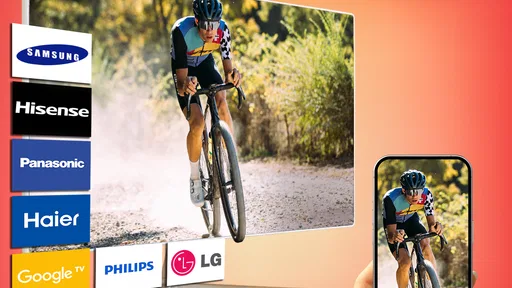
- Compatible with most smart TV brands.
Cons
- Requires stable Wi-Fi for optimal performance.
- Limited free features; premium needed for full access.
- Some compatibility issues with older devices.
- Contains ads that can interrupt usage.
- No option for remote control from the app.
FAQs for Smart TV Cast: Screen Share
What devices are compatible with Smart TV Cast: Screen Share?
Smart TV Cast: Screen Share is designed to work with a wide range of devices, including most modern Smart TVs, streaming devices like Chromecast, and gaming consoles. Additionally, it supports Android and iOS smartphones and tablets. It's important to check the app's compatibility list on the download page to ensure your devices are supported.
Does Smart TV Cast: Screen Share require a Wi-Fi connection?
Yes, Smart TV Cast: Screen Share requires a stable Wi-Fi connection for optimal performance. Both your smartphone and the receiving device need to be connected to the same Wi-Fi network to facilitate smooth screen sharing. Without a Wi-Fi connection, the app will not be able to connect the devices effectively.
Is there a limit to the type of content I can share using Smart TV Cast: Screen Share?
Smart TV Cast: Screen Share allows you to share a wide range of content including videos, photos, and even app screens. However, content protected by DRM (Digital Rights Management) may not be shareable due to restrictions. Always ensure you comply with content sharing policies and respect copyright laws when using the app.
Are there any in-app purchases or subscriptions in Smart TV Cast: Screen Share?
While Smart TV Cast: Screen Share is free to download, it may offer in-app purchases or subscription options to unlock premium features such as ad-free usage, enhanced resolution, or additional support for different file types. Be sure to review the app's store page for detailed information on pricing and available packages.
How user-friendly is Smart TV Cast: Screen Share for beginners?
Smart TV Cast: Screen Share is designed with a user-friendly interface, making it accessible even for those who aren't tech-savvy. The setup process is straightforward, with guided instructions to help you connect your devices. The app also includes a help section with FAQs and troubleshooting tips to assist users in navigating any issues.


